mirror of
https://github.com/WeiYe-Jing/datax-web.git
synced 2026-07-12 21:03:33 +08:00

58 lines
2.1 KiB
Markdown
58 lines
2.1 KiB
Markdown

|
||

|
||
## preparation
|
||
- Language: Java 8
|
||
- Environment: MacOS, 16G RAM
|
||
- Database: Mysql5.7
|
||
|
||
## introduction
|
||
- 使用springboot启动datax,不再需要用python启动。
|
||
- 以restful接口启动datax作业
|
||
|
||
## todo list
|
||
|
||
* [x] springboot重构项目
|
||
* [x] 通过restful接口调度datax完成抽取数据作业
|
||
* [x] 通过restful接口传入job配置json生成临时文件,根据文件配置调度datax执行该作业
|
||
* [x] 集成swagger,方便调试
|
||
* [x] 集成mybatis plus和Mysql数据库存放应用数据
|
||
* [x] 网页端修改并持久化job配置的json到数据库
|
||
* [x] 网页端实时查看抽取日志,类似Jenkins的日志控制台输出功能
|
||
* [ ] 网页端各种读写插件模板生成,可以在页面组装使用
|
||
* [ ] 精简assembly打包结构
|
||
* [ ] 实现datax分布式作业
|
||
* [ ] 实现部分写插件支持自动建表功能
|
||
|
||
|
||
## 前端项目
|
||
[github地址](https://github.com/zhouhongfa/datax-vue-admin.git)
|
||
## how to run
|
||
### 1. 在父工程目录下使用maven打包
|
||
```
|
||
mvn -U clean package assembly:assembly -Dmaven.test.skip=true
|
||
```
|
||
|
||
### 2. 在打包完成的target目录下进入datax-web,可以看到datax-web-0.0.1-SNAPSHOT
|
||
```
|
||
cd datax/datax/plugin/web
|
||
```
|
||
|
||
### 3. 运行启动命令
|
||
```
|
||
java -Ddatax.home=/Users/huzekang/openSource/DataX/target/datax/datax -jar datax-web-0.0.1-SNAPSHOT.jar
|
||
```
|
||
需要配上环境变量-Ddatax.home,此处参照上述配置mvn打包后的目录即可
|
||
|
||
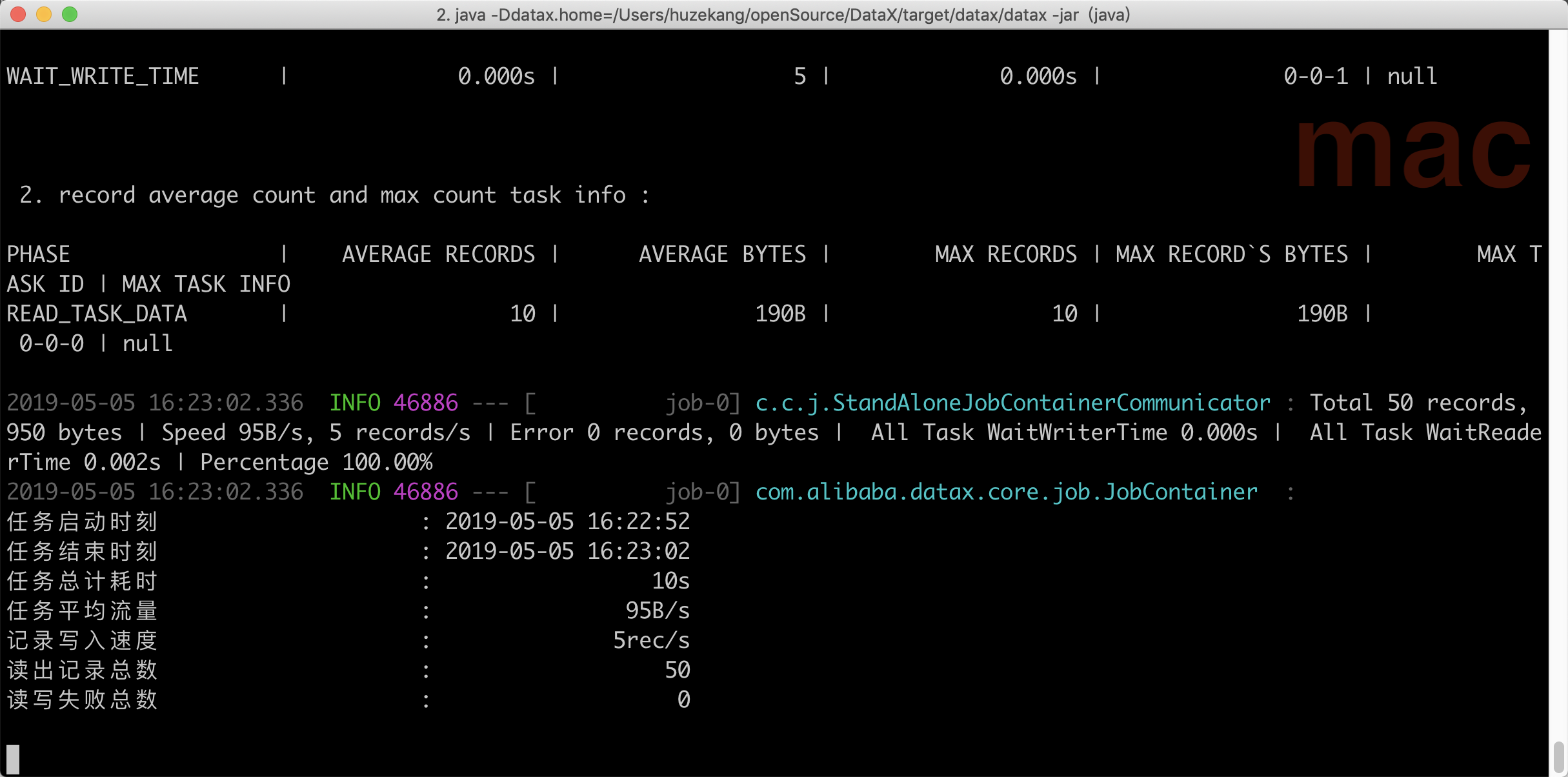
### 4. 终端访问测试作业接口
|
||
```
|
||
curl http://localhost:8080/startJob
|
||
```
|
||
可以看到成功跑完一个datax作业
|
||
|
||
|
||
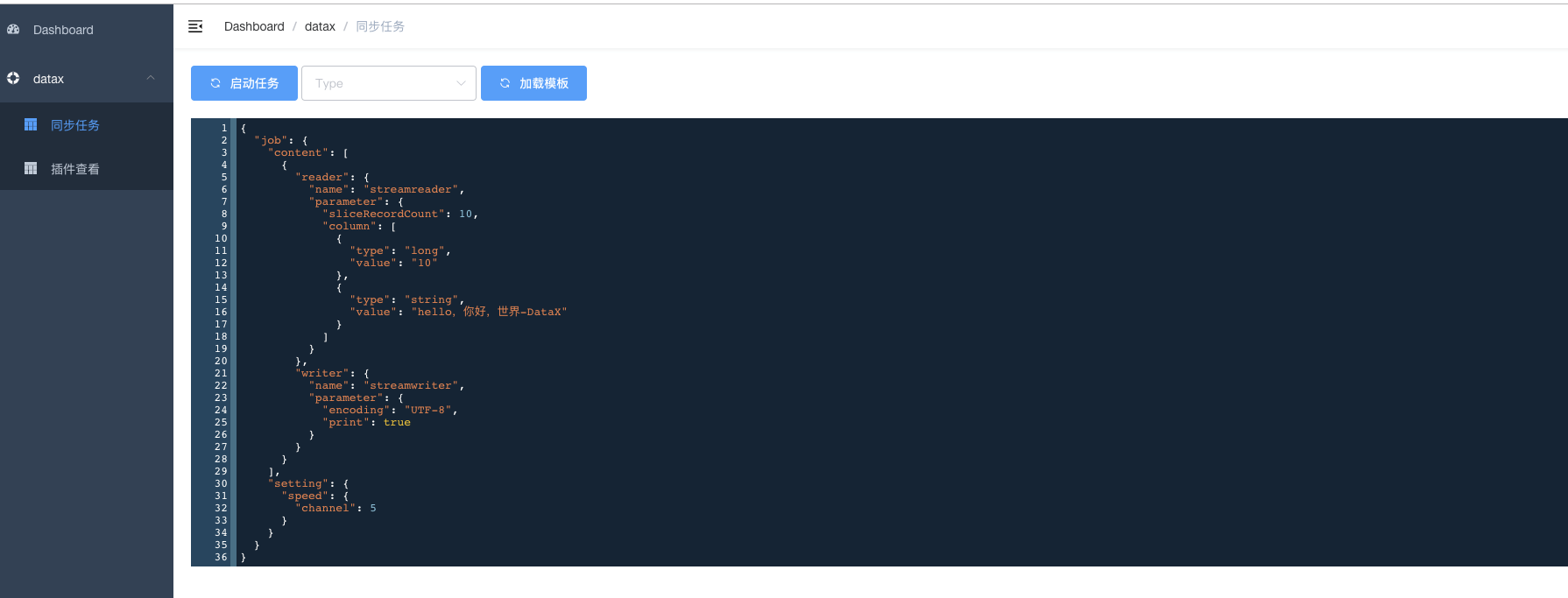
### 5. 打开网页端启动作业
|
||
http://localhost:8080/index.html#/datax/job
|
||
|
||
|
||
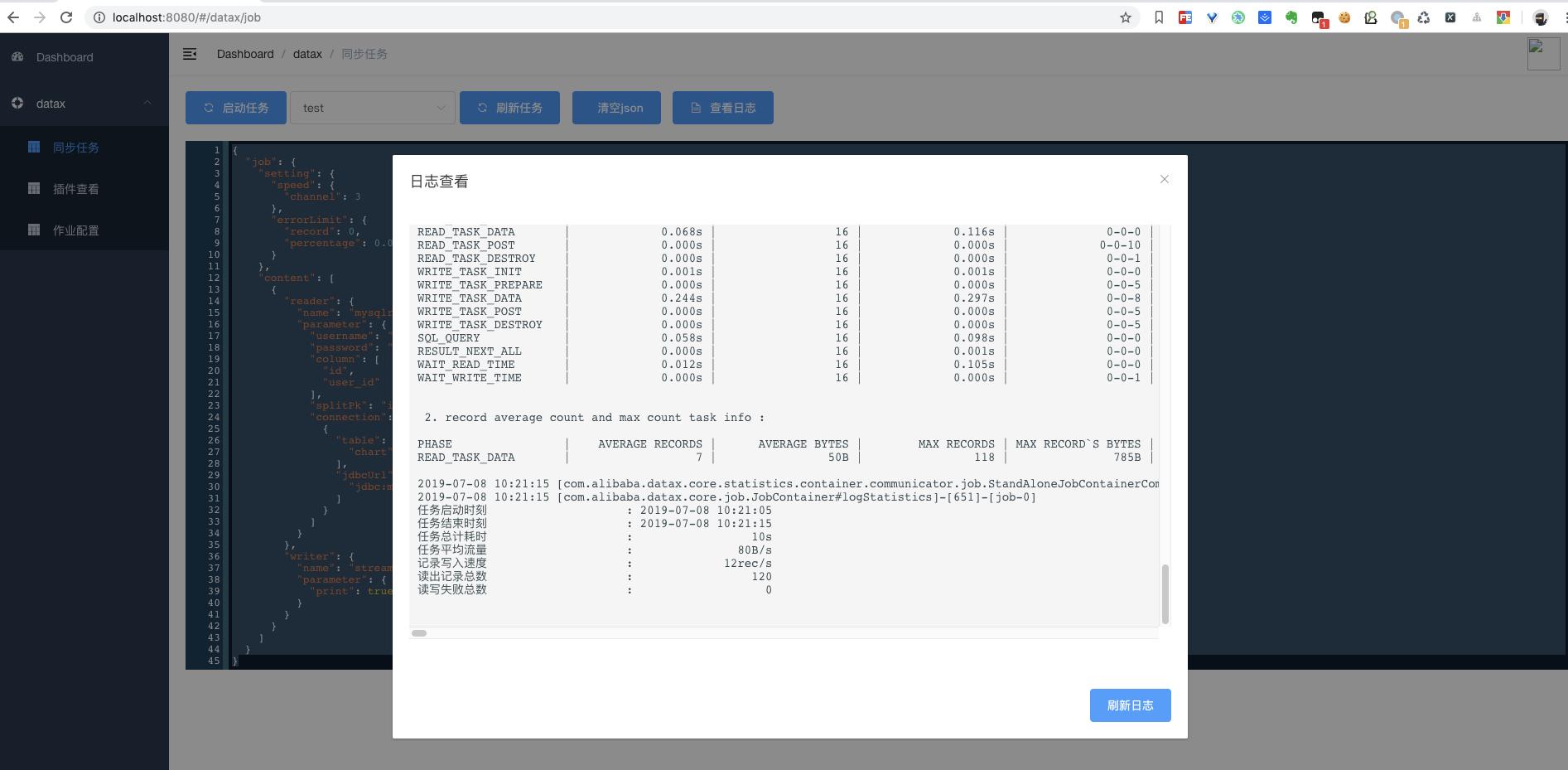
### 6. 在线查看作业日志
|
||
 |