mirror of
https://github.com/go-gost/gost.git
synced 2026-06-04 21:01:10 +08:00
GO Simple Tunnel — 一个用 golang 编写的简单隧道
https://gost.run/
| .github/workflows | ||
| cmd/gost | ||
| .gitignore | ||
| .goreleaser.yaml | ||
| Dockerfile | ||
| go.mod | ||
| go.sum | ||
| gost.yml | ||
| install.sh | ||
| LICENSE | ||
| Makefile | ||
| README_en.md | ||
| README.md | ||

GO Simple Tunnel
A simple security tunnel written in golang


Features
- Listening on multiple ports
- Multi-level forwarding chain
- Rich protocol
- TCP/UDP port forwarding
- Reverse Proxy and Tunnel
- TCP/UDP transparent proxy
- DNS resolver and proxy
- TUN/TAP device and TUN2SOCKS
- Load balancing
- Routing control
- Admission control
- Bandwidth/Rate Limiter
- Plugin System
- Prometheus metrics
- Dynamic configuration
- Web API
- GUI/WebUI
Overview
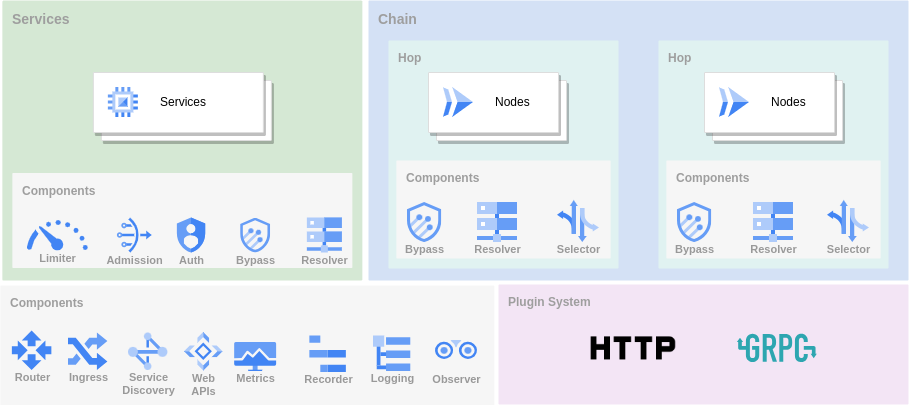
There are three main ways to use GOST as a tunnel.
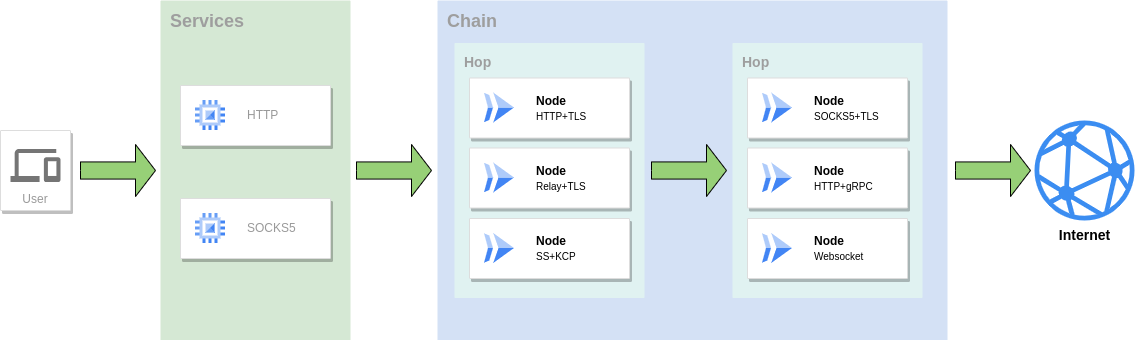
Proxy
As a proxy service to access the network, multiple protocols can be used in combination to form a forwarding chain for traffic forwarding.
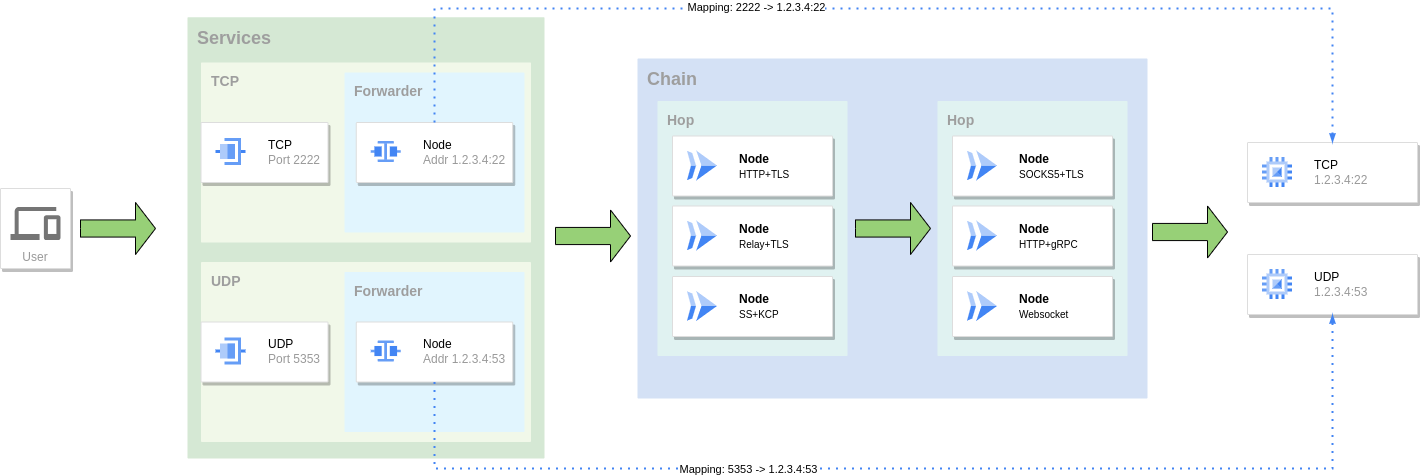
Port Forwarding
Mapping the port of one service to the port of another service, you can also use a combination of multiple protocols to form a forwarding chain for traffic forwarding.
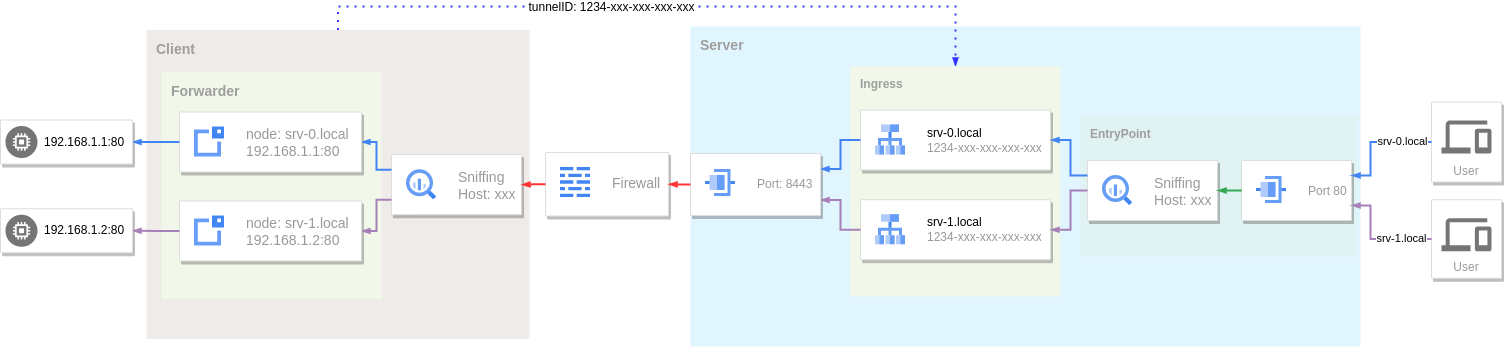
Reverse Proxy
Use tunnel and intranet penetration to expose local services behind NAT or firewall to public network for access.
Installation
Binary files
https://github.com/go-gost/gost/releases
install script
# install latest from [https://github.com/go-gost/gost/releases](https://github.com/go-gost/gost/releases)
bash <(curl -fsSL https://github.com/go-gost/gost/raw/master/install.sh) --install
# select version for install
bash <(curl -fsSL https://github.com/go-gost/gost/raw/master/install.sh)
From source
git clone https://github.com/go-gost/gost.git
cd gost/cmd/gost
go build
Docker
docker run --rm gogost/gost -V
Tools
GUI
WebUI
Shadowsocks Android
hamid-nazari/ShadowsocksGostPlugin
Support
Wiki: https://gost.run
YouTube: https://www.youtube.com/@gost-tunnel
Telegram: https://t.me/gogost
Google group: https://groups.google.com/d/forum/go-gost
Legacy version: v2.gost.run