 4a8b6e7d30
Remove the menu option to decrypt a file and centralize the logic in a single open file option. For plain PCAP files, look for a corresponding keylog file in the same folder to determine if decryption is needed. At export time, automatically export to this file without prompting the user. |
||
|---|---|---|
| .github | ||
| app | ||
| docs | ||
| fastlane/metadata/android | ||
| generated | ||
| gradle/wrapper | ||
| ICONS_LICENSE | ||
| submodules | ||
| tools | ||
| .gitignore | ||
| .gitmodules | ||
| build.gradle | ||
| CHANGELOG.md | ||
| COPYING | ||
| funding.json | ||
| gradle.properties | ||
| gradlew | ||
| gradlew.bat | ||
| README.md | ||
| settings.gradle | ||
PCAPdroid
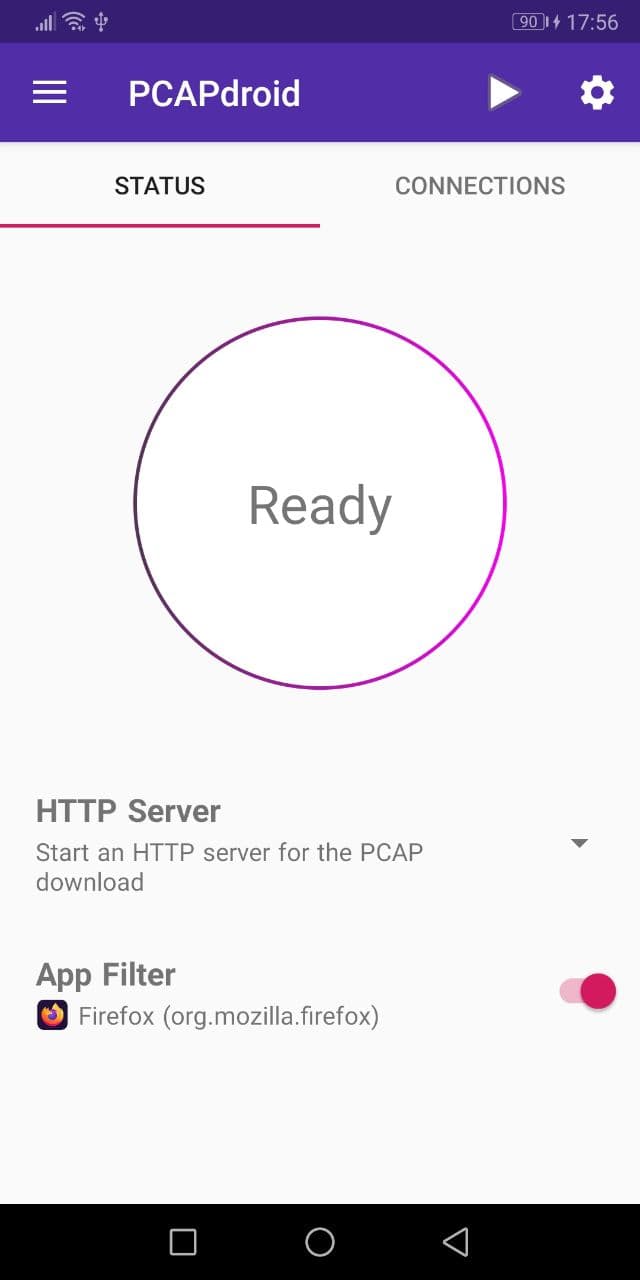
PCAPdroid is a privacy-friendly open source app which lets you track, analyze and block the connections made by the other apps in your device. It also allows you to export a PCAP dump of the traffic, inspect HTTP, decrypt TLS traffic and much more!
PCAPdroid simulates a VPN in order to capture the network traffic without root. It does not use a remote VPN server, instead data is processed locally on the device.
Features:
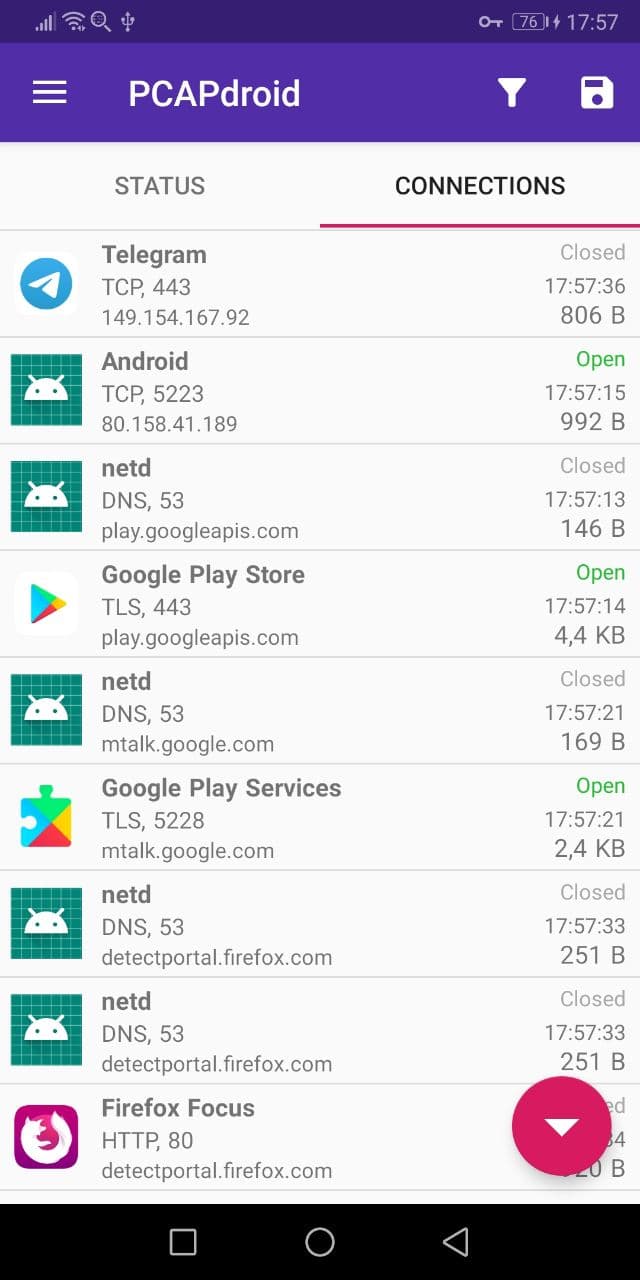
- Log and examine the connections made by user and system apps
- Extract the SNI, DNS query, HTTP URL and the remote IP address
- Inspect HTTP requests and replies thanks to the built-in decoders
- Inspect the full connections payload as hexdump/text
- Decrypt the HTTPS/TLS traffic and export the SSLKEYLOGFILE
- Dump the traffic to a PCAP file, download it from a browser, or stream it to a remote receiver for real-time analysis (e.g. Wireshark)
- Create rules to filter out the good traffic and easily spot anomalies
- Identify the country and ASN of remote server via offline DB lookups
- On rooted devices, capture the traffic while other VPN apps are running
Paid features:
- Firewall: create rules to block individual apps, domains and IP addresses
- Malware detection: detect malicious connections by using third-party blacklists
- PCAPng format: makes it easier to export and analyze decrypted traffic
If you plan to use PCAPdroid to perform packet analysis, please check out the specific section of the manual.


You can test the latest features before the official release by adding the Beta repository to the F-Droid app.
User Guide
Check out the quick start instructions or the full User Guide.
Sponsors
The PCAPdroid project is sponsored by AVEQ GmbH.
If you want to sponsor this project drop me an email.
Community
You can help the PCAPdroid project in many ways:
-
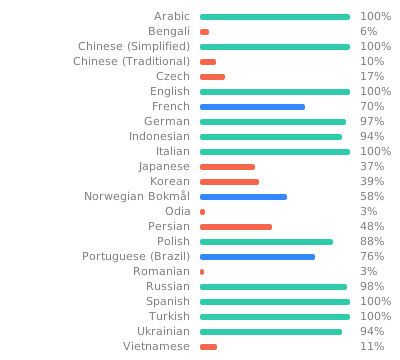
Translate the app on Weblate
-
Discuss new features
-
Improve the app theme and layout
-
Star the project on Github and on Google Play
-
Of course provide code pull requests!
Join the international PCAPdroid community on Telegram or on Matrix.
Integrating into your APP
Some features of PCAPdroid can be integrated into a third-party app to provide packet capture capabilities.
- For rooted devices, the pcapd daemon can be directly integrated into your APK to capture network packets.
- For all the devices, PCAPdroid exposes an API to control the packet capture and send the captured packets via UDP to your app. This requires to install PCAPdroid along with your app.
Open Source
PCAPdroid is powered by open source technologies.
- nDPI: deep packet inspection library, provides the connections metadata
- mitmproxy: a local proxy for the TLS decryption
- zdtun: minimal TCP/IP stack for the non-root capture
For the complete list of third party libraries check out the "About" page in the app.
Building
- On Windows, install gitforwindows
- Clone this repo
- Inside the repo dir, run
git submodule update --init. Thesubmodulesdirectory should get populated. - Open the project in Android Studio, install the appropriate SDK and the NDK
- Build the app
Note: If you get "No valid CMake executable was found", be sure to install the CMake version used by PCAPdroid (currently 3.22.1) from the SDK manager