# Remote Capture
Remote Capture is an android app to capture the phone traffic and analyze it remotely (e.g. via Wireshark). The traffic can be easily captured on a remote PC via an UDP socket.
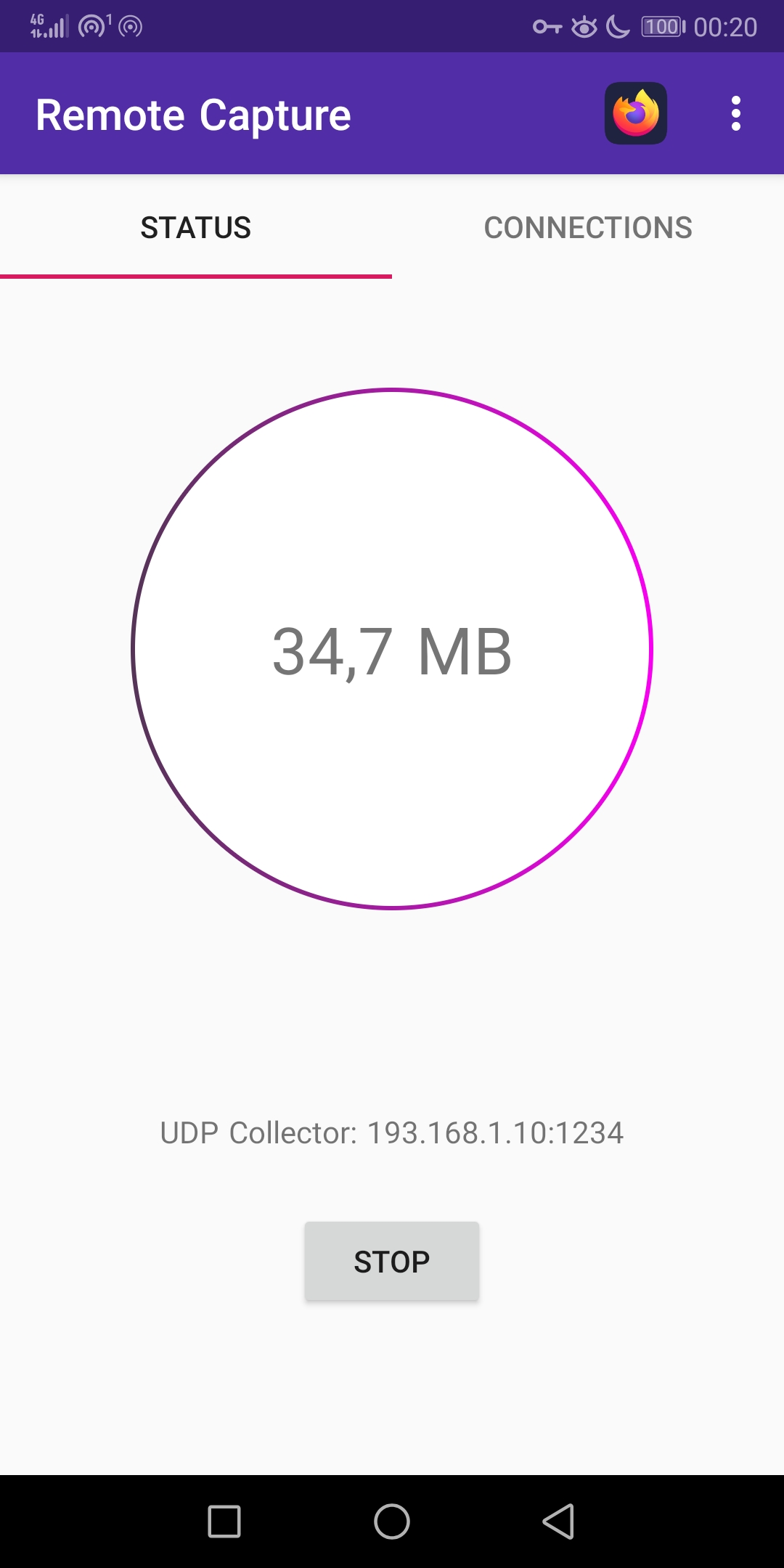
Realtime Traffic Analysis:
```bash
tools/udp_receiver.py -p 1234 | wireshark -k -i -
```
Features:
- Capture apps traffic without root
- Send captured traffic via UDP
- Show captured traffic realtime statistics
- Apply a filter to only capture traffic for the selected app
Download:
https://github.com/emanuele-f/RemoteCapture/releases
https://play.google.com/store/apps/details?id=com.emanuelef.remote_capture
## App filter and DNS Traffic
Many applications rely on the Android DNS resolution service `netd` in order to resolve names. All the DNS requests sent via this service will come from `netd`, so it's not possible to which app made the request, so the app filter won't work. In order to circunvent this, Remote Capture will dump all the DNS traffic from `netd` regardless of the app filter. This can be disabled by toggling off the "Capture Unknown Traffic" preference.
## Receiving the PCAP
The [UDP receiver](https://github.com/emanuele-f/RemoteCapture/blob/master/tools/udp_receiver.py) script can be used to receive the packets from the mobile application. As an alternative, the `socat` utily can be used (e.g. `socat -b 65535 - udp4-listen:1234`) but without the ability to pause and resume the capture. When using socat, setting the `-b` option is mandatory in order to correctly receive the packets (not supported in `nc`).
- Analyze the traffic in Wireshark:
```bash
udp_receiver.py -p 1234 | wireshark -k -i -
```
- Analyze the traffic with ntopng:
```bash
udp_receiver.py -p 1234 | ntopng -m “10.215.173.0/24” -i -
```
- Write the traffic to a PCAP file:
```bash
udp_receiver.py -p 1234 | tcpdump -w dump.pcap -r -
```
## How it Works
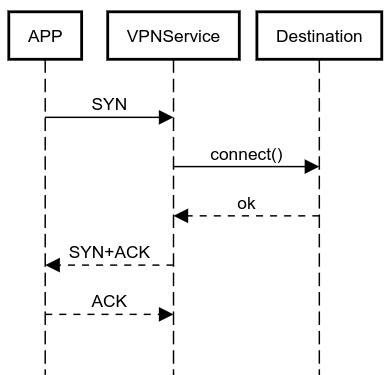
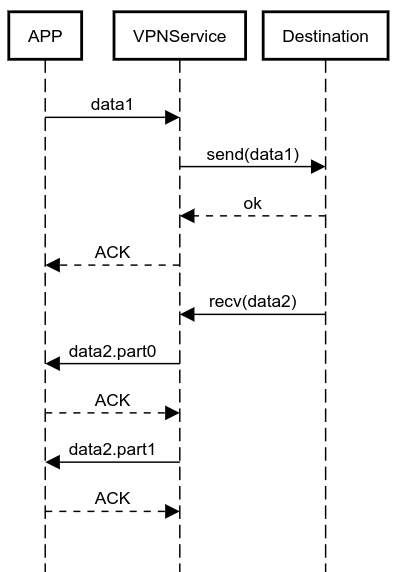
In order to run without root, the app takes advantage of the Android VPNService API to collect the packets on the device (they are *not* sent to an external VPN server). The [zdtun](https://github.com/emanuele-f/zdtun) connections proxy library is used to route the packets back to their original destination. Here are some diagrams of how it works:
## Building
1. Clone this repo locally
2. Clone https://github.com/emanuele-f/zdtun beside this repository
3. Clone https://github.com/ntop/nDPI beside this repository
4. Link the cmake file into nDPI: from this repo execute: `ln -s $(readlink -f nDPI/CMakeLists.txt) ../nDPI`
4. Inside the nDPI directory, run `./autogen.sh`
6. Build the `zdtun` and `ndpi` modules first
7. Then build the `app` module